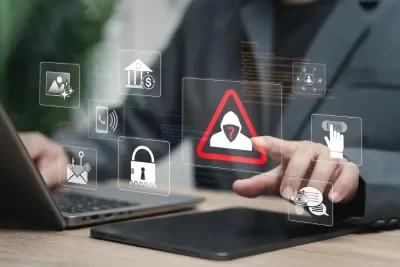
Apple warning may protect your data when iPhone is stolen
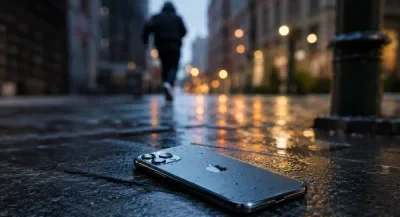
Apple has released a new update to its guidelines for dealing with lost or stolen iPhones, including an important warning that many users may miss. Instead of typing the phone number or any contact on the lock screen when activates (Lost Mode), the company advises to avoid it altogether, as this information may turn into a tool used by fraudsters to carry out phishing attacks and steal personal data.
Apple confirms that protecting accounts and data has become as important as restoring the phone itself, especially with the development of electronic fraud methods.
Immediately Activate Loss Mode
When an iPhone is lost or stolen, Apple recommends directly accessing the Find My app or iCloud.com/find and selecting the lost device, then activating LossMode XXTAG 5XX ASAP.
This action remotely locks the phone, prevents anyone from using it without the passcode, and helps track its location if it is connected to the Internet.
The company asserts that the speed of activating this feature significantly reduces the chances of any unauthorized person accessing the data stored on the device.
Why shouldn't your phone number be written on the lock screen?
Some may think that typing a replacement phone number on the lock screen helps the person who finds the device to return it, but Apple believes that this may carry greater risks.
A thief or fraudster may use the phone number shown to communicate with the owner of the device claiming to be an Apple, carrier, or bank employee, and ask for sensitive information such as a verification code or Apple ID password.
Known as social engineering, these methods are one of the most widespread frauds, relying on deceiving the victim psychologically rather than hacking technical systems.
Enable Stolen Device Protection
Apple advises all users to activate the Stolen Device Protection feature before any issue occurs.
This feature adds an additional layer of protection that prevents sensitive changes to the device or Apple ID account even if the thief knows the passcode, as it requires the use of Face ID or Touch ID to perform important operations such as stopping loss mode or changing security settings.
This feature helps reduce the chances of controlling the phone after it has been stolen.
Do not delete the device from Find My
A common mistake that some users make is removing a lost phone from their Find My account in the belief that it won't affect.
But Apple strongly warns against this step, as it disables the Activation Lock feature that prevents reactivation of the device after a factory reset except using the original owner's account data.
Keeping this feature on makes the phone almost useless for the thief, and reduces the possibility of selling or reusing it.
What to do if phone location appears?
If Find My can locate the device, Apple does not recommend trying to retrieve it yourself, especially if it is in an unknown location or with someone else.
The company asserts that the safest option is to inform the police and provide them with the location of the phone, leaving the task of retrieval to the competent authorities.
Personal intervention may expose the user to dangerous situations or a direct confrontation with the thief.
When should phone data be erased?
If the user is sure that the chances of recovering the phone have become weak, or if it contains highly sensitive information, the Erase iPhone feature can be used to remotely erase all data.
Although the data has been deleted, the activation lock Activation Lock will remain active, preventing the phone from being used without the original Apple ID.
Therefore, it is advisable not to carry out the scanning process until it has been confirmed that the device cannot be retrieved.
Report to Police and Telecom Company
Apple recommends that you notify security immediately if the phone is stolen, including the serial number or IMEI if possible.
The telecommunications company should also be contacted to stop the SIM card from being used to make calls or receive verification messages for bank or digital accounts.
If the phone is insured against theft or loss, you should contact the insurance company to find out the steps for filing a claim.
Additional tips to protect yourdata
Apple recommends activating two-factor authentication for your Apple ID account, using a strong passcode, and keeping a regular backup via iCloud or your computer.
It is also preferable to review the devices associated with the account periodically, and not to share verification codes with any party, no matter how it claims to represent Apple, the bank, or the telecommunications company.
Cybersecurity experts confirm that the majority of account thefts begin with an attempt to trick the user into getting their data, not by hacking the phone itself.
Speed of action is the key to protecting yourdata
Apple stresses that the first minutes after losing the phone are the most important, during which access to personal data can be blocked and accounts associated with the device can be secured.
Therefore, knowing the protection steps in advance and activating the security features before the problem occurs may save the user significant losses, whether financial or related to his digital privacy.
Followers of technical news can also follow the latest updates via Arabic sites XX XX and specialized blogs XXTAG 24XX, in addition to what XX provides, storesXXTAG 27XXXXTAG28 R XX, Kuwait storesXXTAG 30XXXXXXXXXX, vitamin storesXXTAG 33XXXXXXXXTAG35TAG16XX, foreign sites XXTAG37GXXTAGXXTAG17, Relying on the well-known website for social services.
And here, dear brothers and sisters, we have successfully completed the task ✌
Prayfor your beloved heart to be kind and do good no matter how small 🎯🌷
And do not forget our brothers everywhere from your prayer📌
and accept the greetings of the # Ezznology#HighTech
as you can see our store products from here 👈#ourstoreXX 🌷or XXhere TAG19XX
and to join our family on Telegram Group from👈 here
as well as Facebook GroupXXTAG 7XX on which we share information and help the bowls of👈here
To subscribe to our Google Newsletter, press hereXX✌👇

OR scan code

Ezznology on Google news
Other topics that may also interest you:
UAE bans the use of social media for those under 15
Meta Accuses Pegasus of New Attempt to Spy on WhatsApp Users2XX
A sudden bug hits Gmail onAndroid
Google makes it easy to transfer files between Android and iPhone
Are battery saving apps really useful?
Did you leave Bluetooth on secure?
USB-C Glue Cleaning: Danger or Solution?
ChatGPT Enters the Age of SmartAdvertising
OpenAI Enhances ChatGPT Security